U disk infection virus analysis
-
**Behaviour analysis of virus infection in USB disk. **
-
The program obtains the registry value (part of the process of obtaining commands and modifying the registry is as follows)
The purpose of obtaining TSAppCompat is to identify the server running the service in application mode.
Obtain the server and Microsoft settings during boot auto-start to prevent DLL hijacking vulnerabilities.
The value of SafeDllSearchMode.

transparentEnable, obtains the NAT function settings of the server group

DisableMetaFiles, used to disable original file processing (valid when 1)

AppInit_Dlls, any file using user32.dll will read this place

TSUserEnabled, whether to allow remote use

Modified registry key settings:
The value of HKEY_LOCAL_MACHINE\SOFTWARE\Microsoft\Windows\CurrentVersion\RunOnce\msfsa can realize the self-starting of the specified exe file (=”GHD.EXE”)

Set the original file cannot be modified
- File operations:
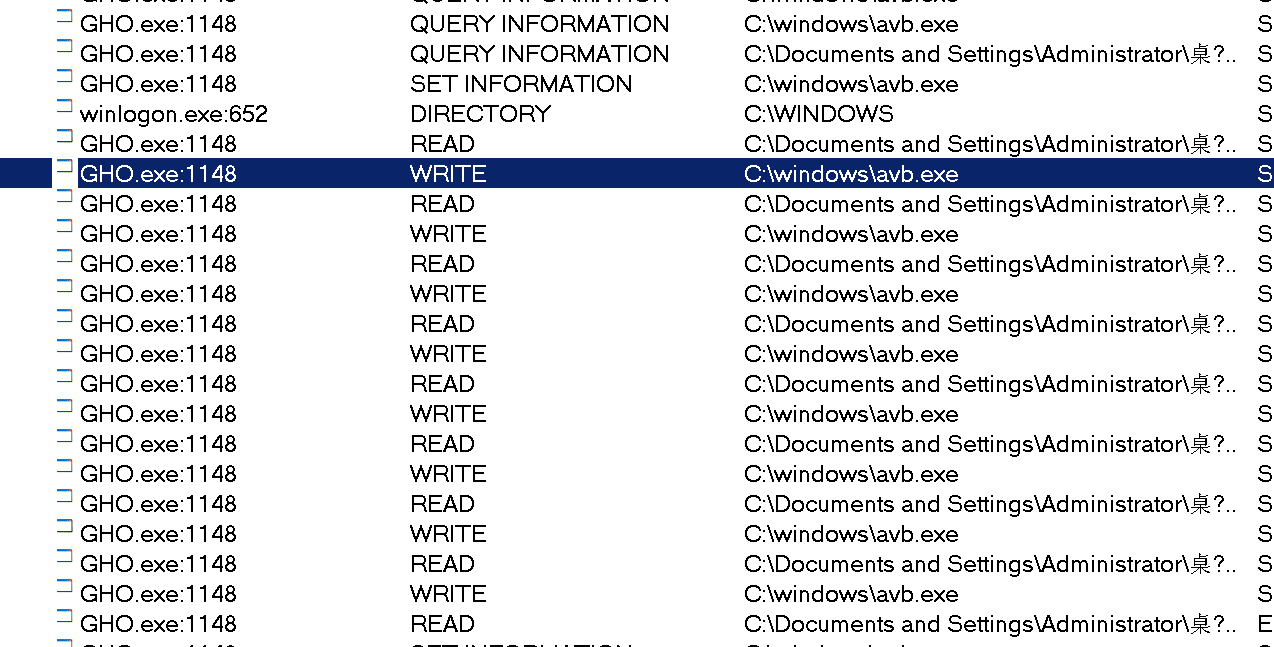
It can be observed that the system intercepted avb.exe, wrote data to it, and modified the data. It has been speculated that avb.exe is the real-time infected program.
Intercepted:

Modify avb data
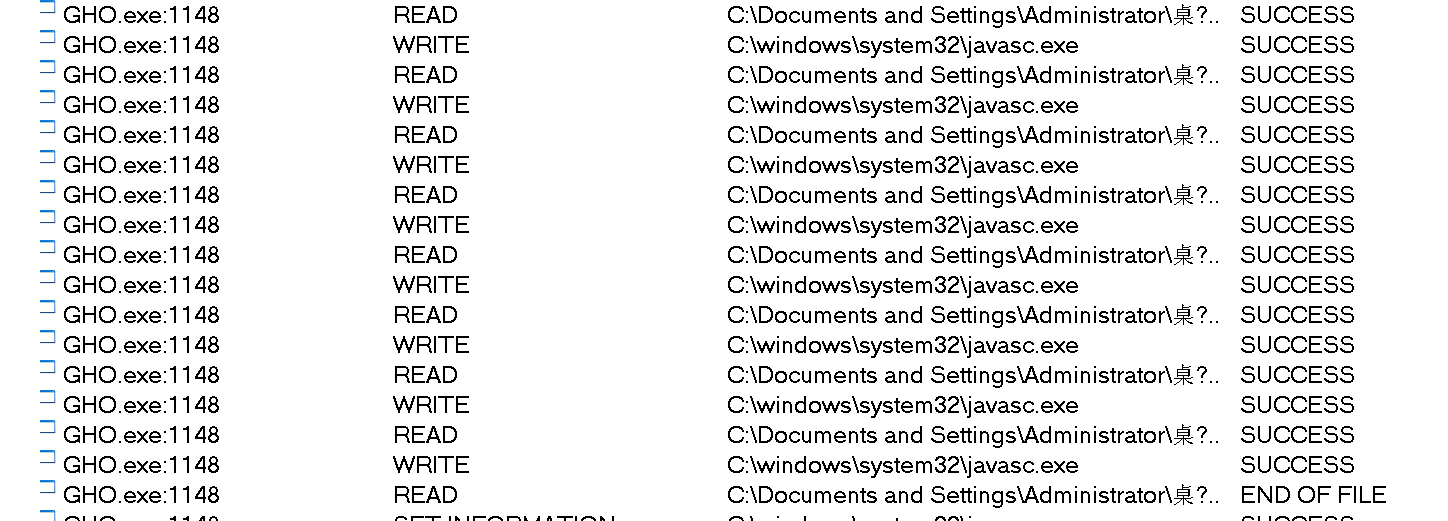
Also modified javasc
-
IDA analysis function
-
Packing check
Shell checking using PEID
The test results are as follows:

Instructions are written in Delphi language, without shell.
- IDA analysis function
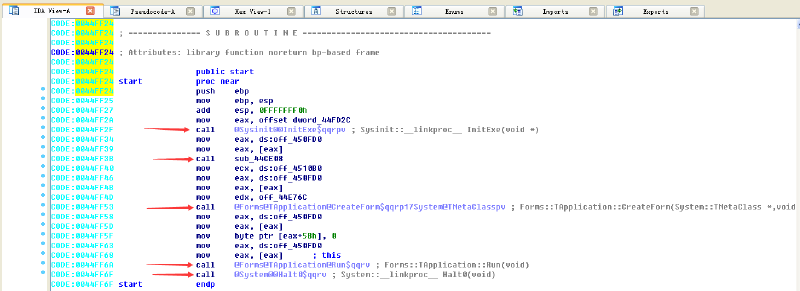
Open it using IDA and find that 5 functions are called
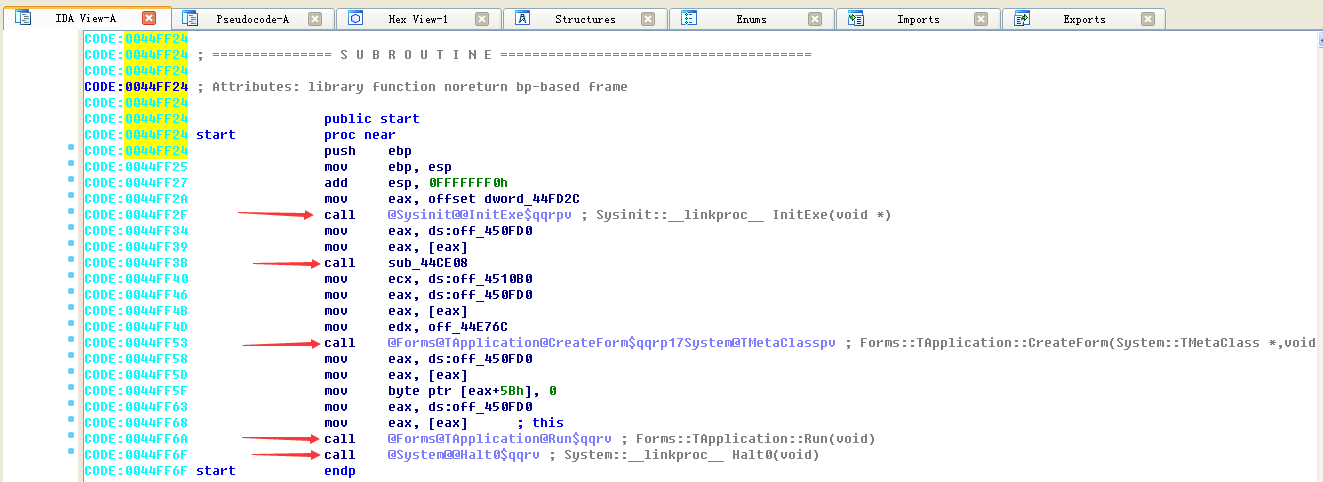
From the function names given by IDA, we can know that the first function is to initialize the exe file, the fourth function is the system run Run function, and the fourth function is the Halt0 function to exit the program. You can’t tell much about the second and third functions from their names.
Use the shortcut key alt+t in IDA to find the string “avb.exe”:
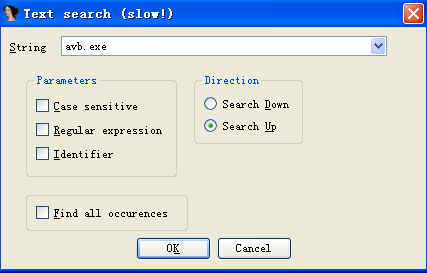
According to the found location, locate the _TForm1_FormCreate function:
e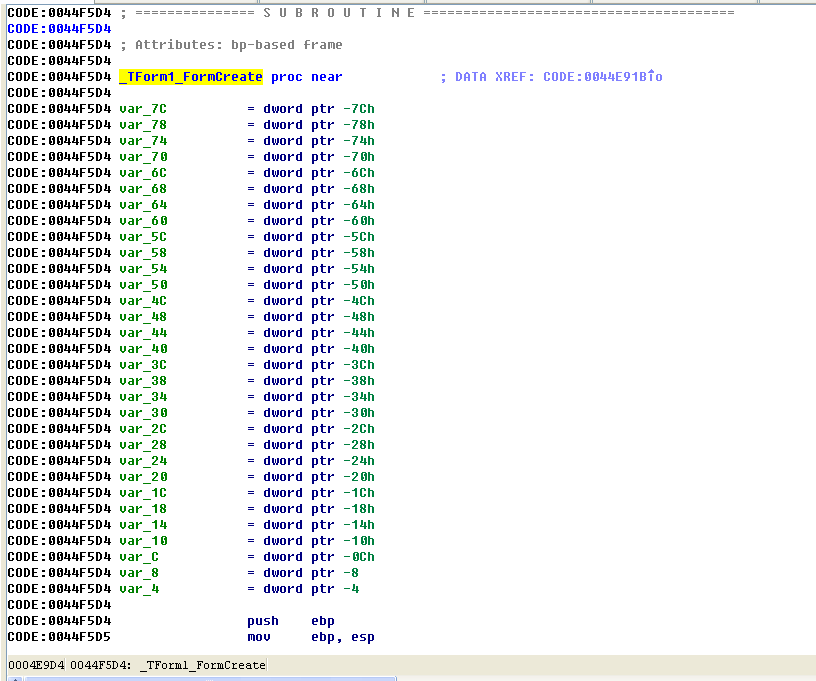
Next, analyze the function of this function.
This function internally calls the ParamStr(int) function to obtain the process name and other information, and then calls the ExtraFileName() function to extract the file name. After uniformly converting it to uppercase, it performs string comparison with “javasc.exe”.
e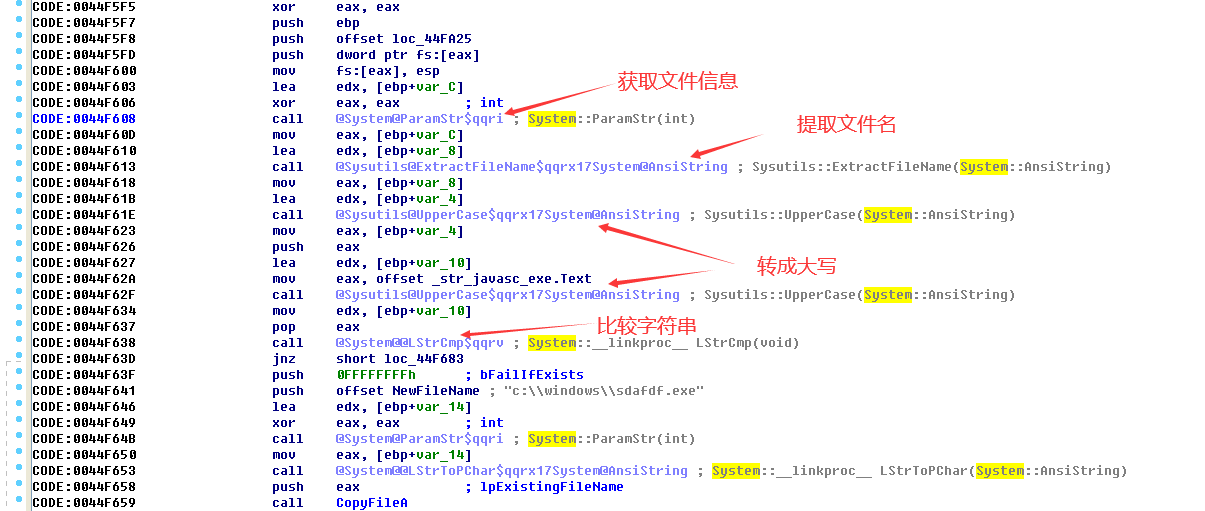


If the process name is not javasc.exe, if not go to:
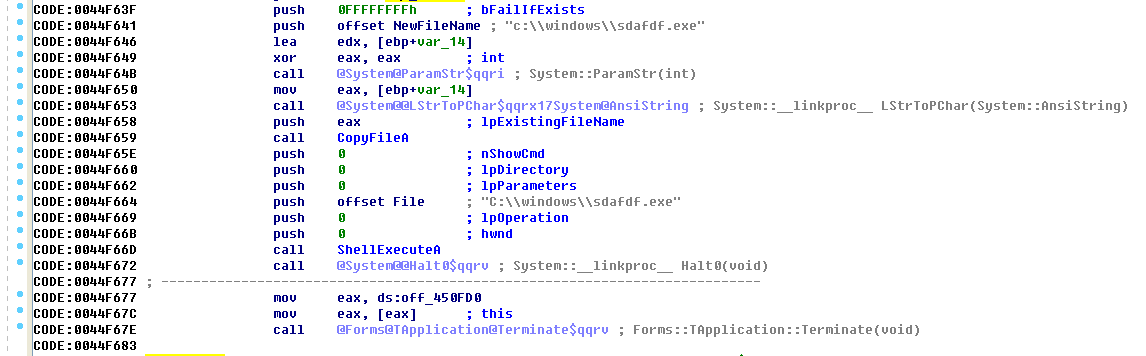
This module copies the process and renames the file to sdafdf.exe stored under C:\\windows. After completion, call the shellexecute function to run the program.
If the process is javasc.exe, then the jump module is as follows:
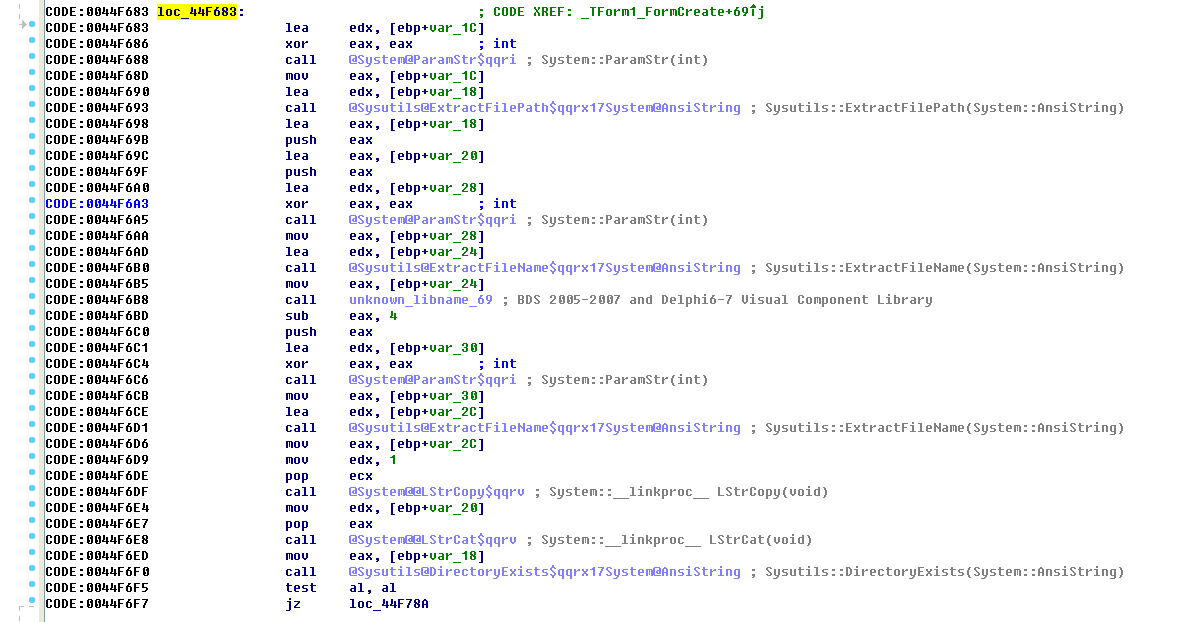
This module will first obtain the path where the file is located. After obtaining the file name, it will concatenate the current path and the file name to obtain the complete path information. Compare the existence of the javasc.exe file (DirectoryExists) in the current directory. If it exists:
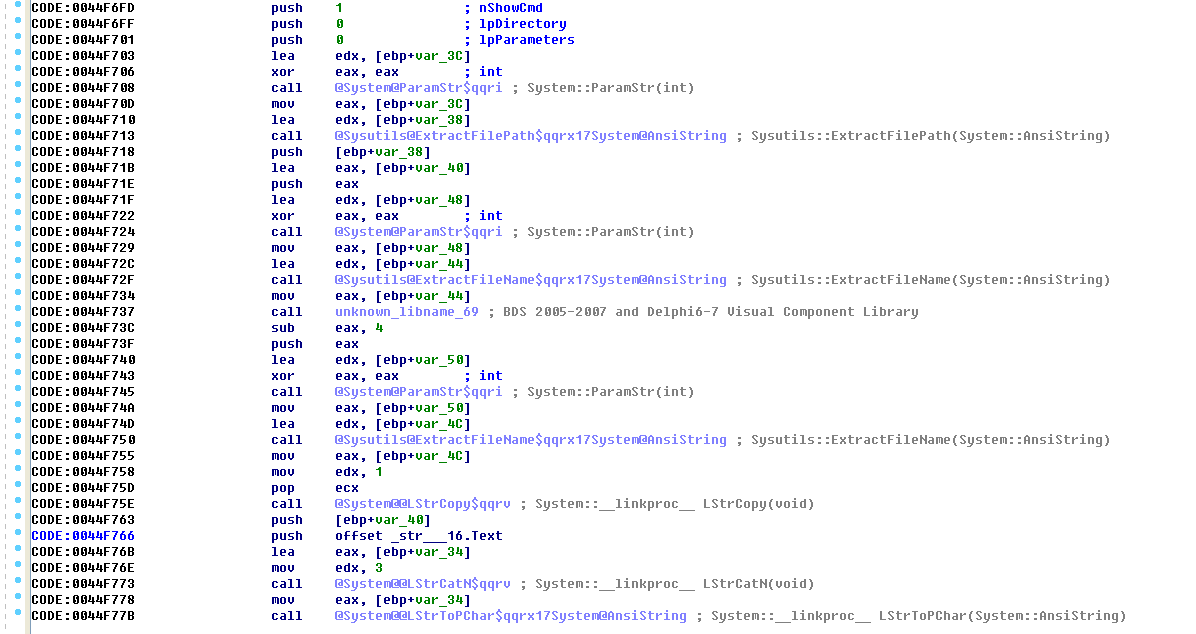

Finally, ShellExecute will be called to expand the folder.
The next step is to determine whether avb.exe exists. If it does not exist:
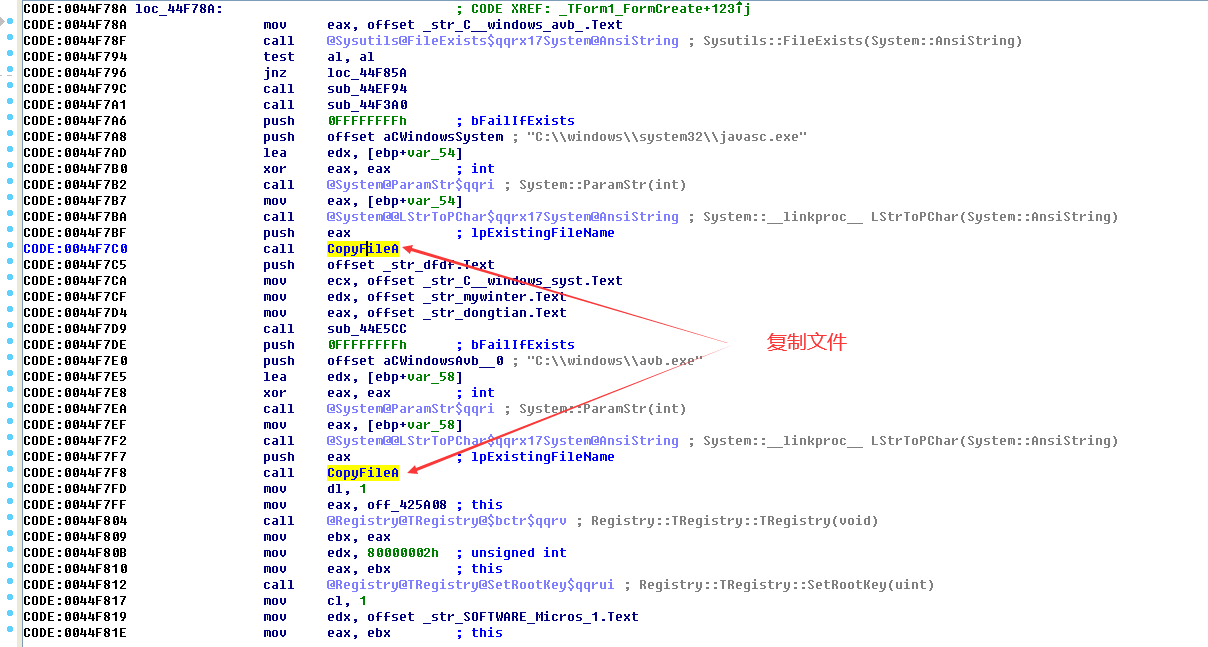

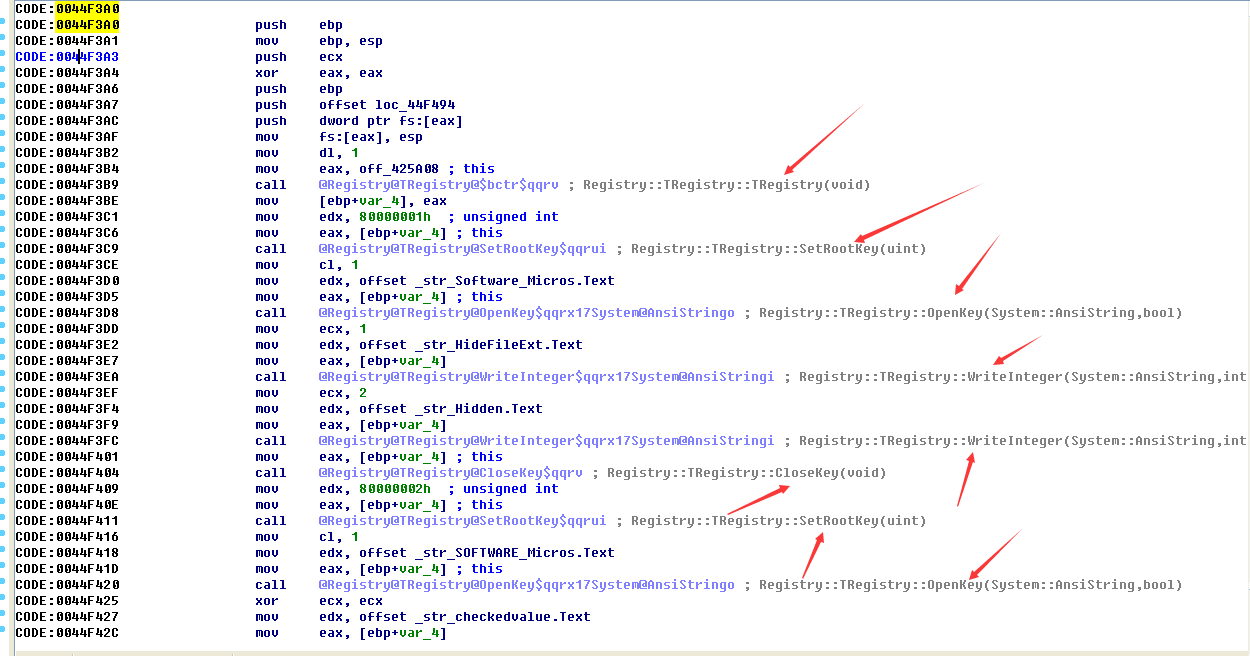
Among them, the function of sub_44F3A0 function is to modify the registry:
Then copy the javasc.exe file and avb.exe file, register the service in the registry and write information to the registry.
The next step is to determine whether the process name is avb.exe. If so, copy the mscb.exe file, call and execute the function and exit normally. If not, exit the _TForm1_FormCreate function directly.
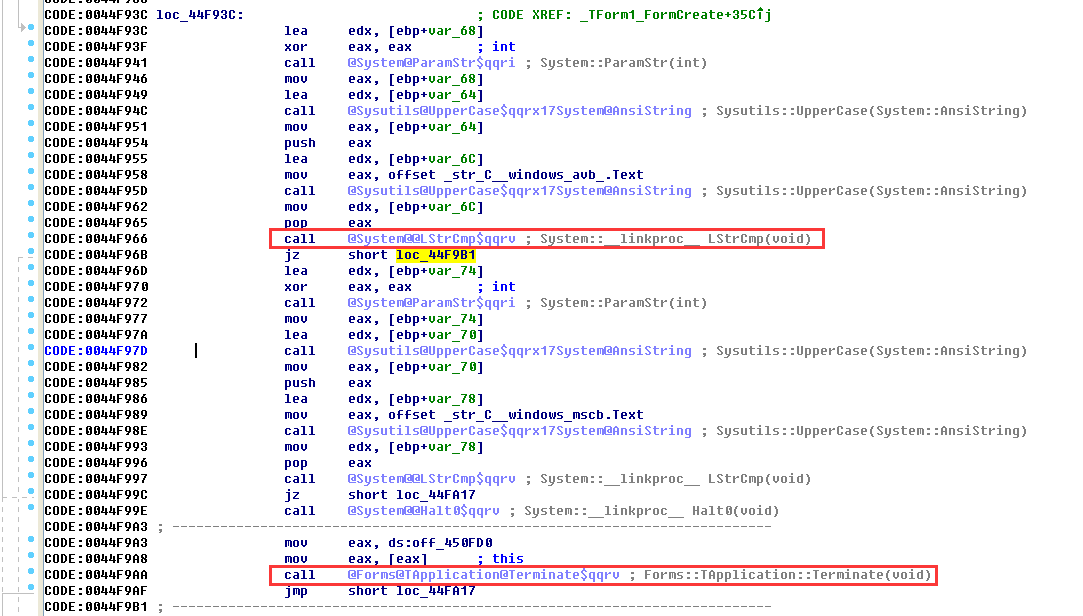
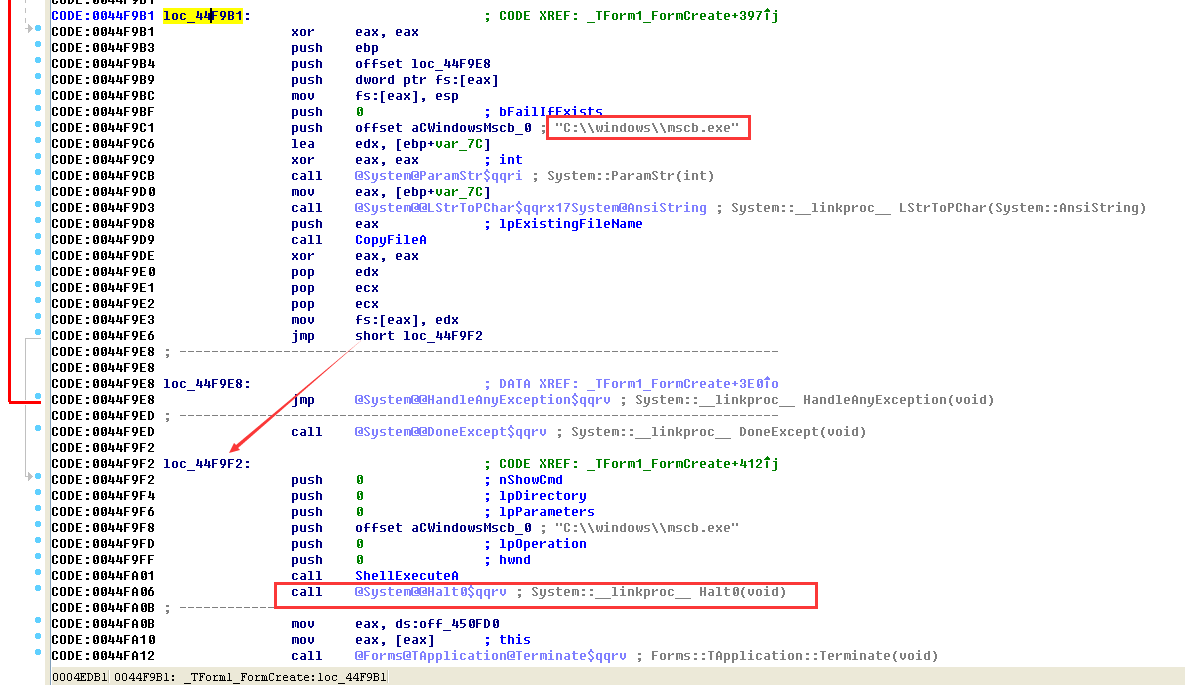
Summary: The main purpose of this function is to copy files to the system directory for execution and modify registry values.
3. Analysis of response process (IDA analysis)
Search for the keyword “timer” in the left column of IDA and obtain four response processes.
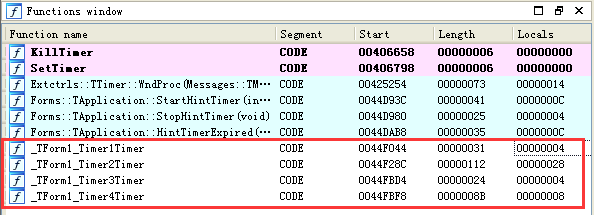
-
Should_TForm1_Timer1Timer
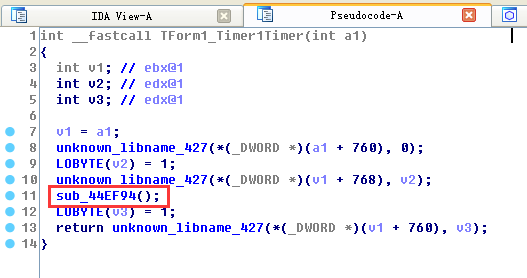
1.1 Enter the function sub_44EF94() to analyze the function function
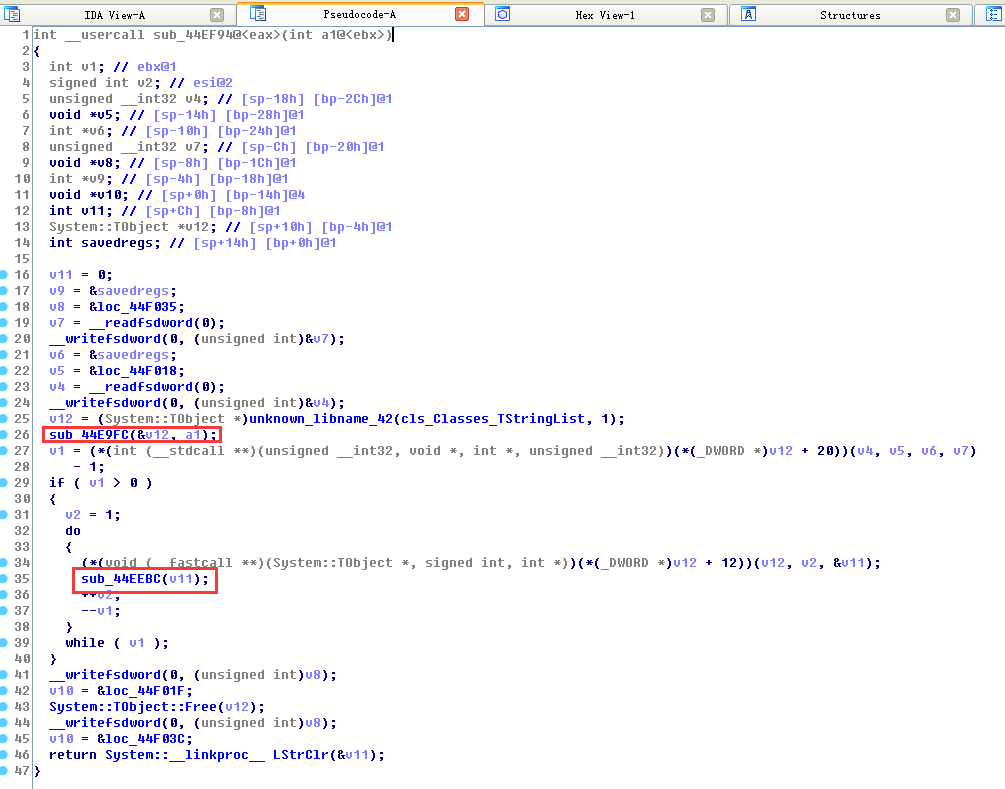
1.2 Enter the function sub_44E9FC(&v12,a1) to analyze the function function
As you can see in the while loop in the figure below, the function of this function is to traverse directory files.

1.3 Enter function sub_44EEBC (v11) to analyze function functions
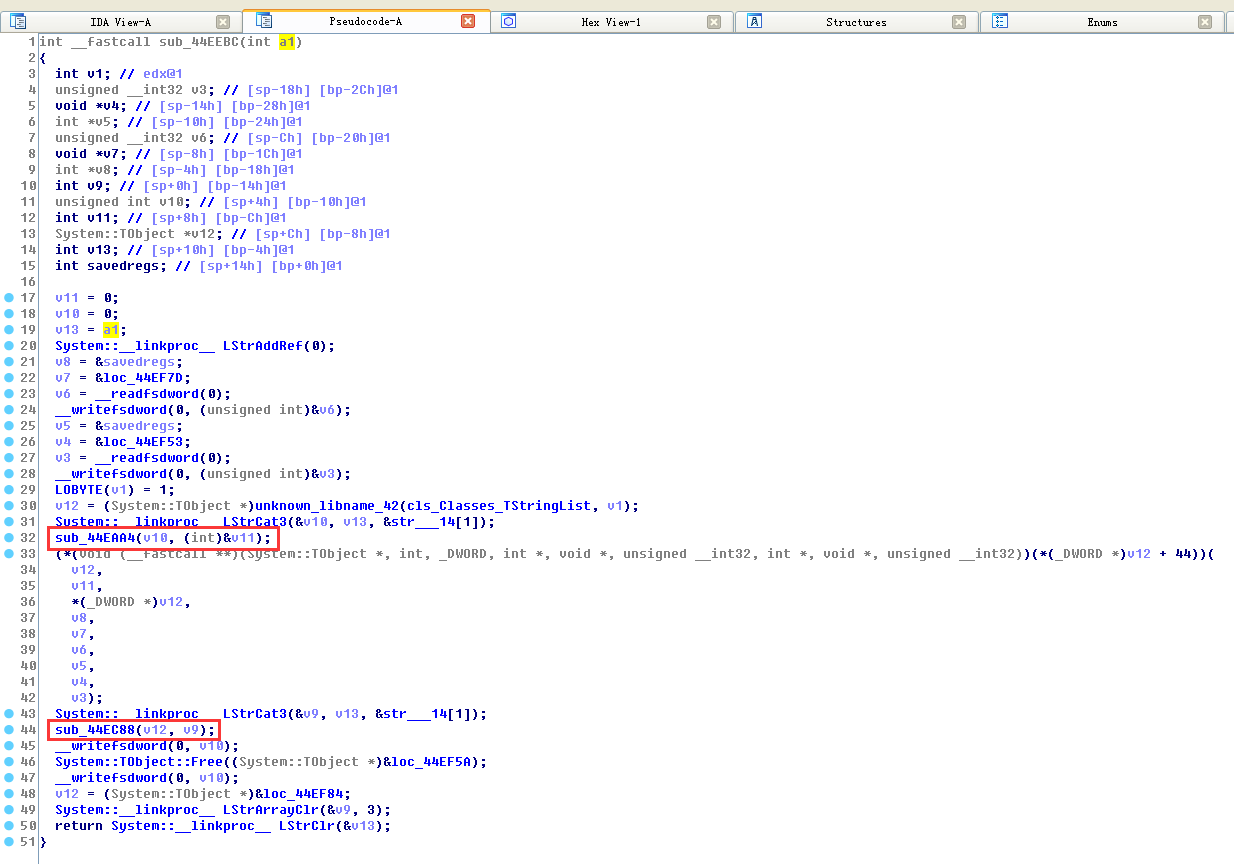
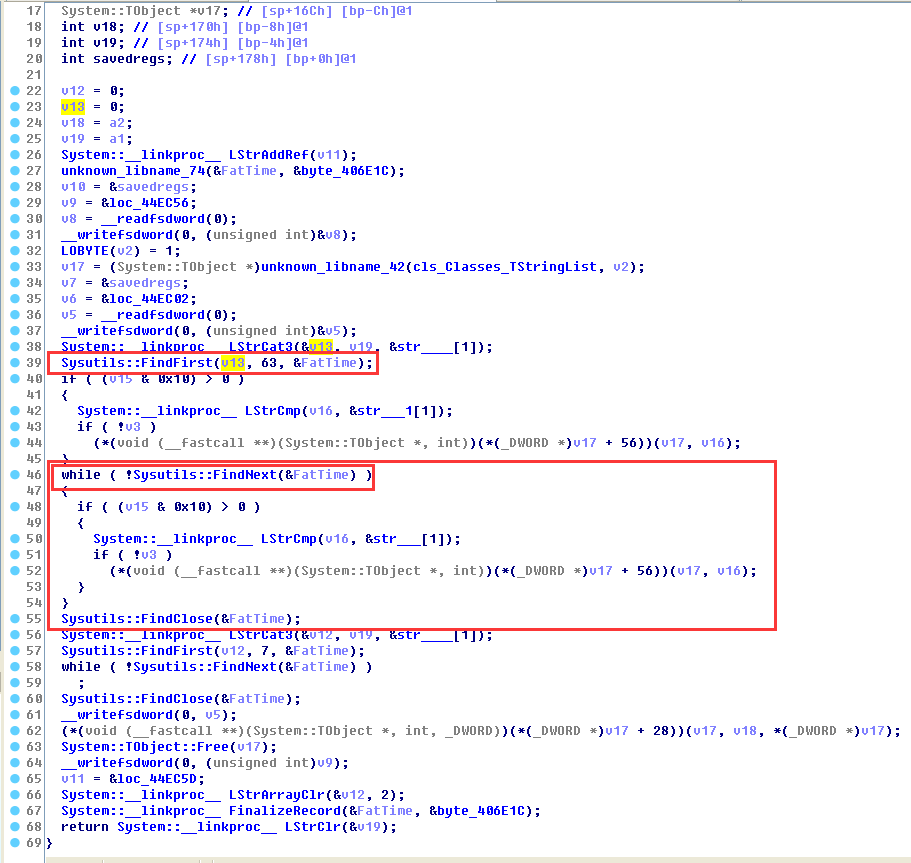
1.4 Enter function sub_44EAA4(v10,(int)&v11) to analyze function functions
As shown in the figure below, first find the first invalid file through FindFirst and record its creation time FatTime, and then find all files under this creation time based on the creation time.
1.5 Enter function sub_44EC88((int)v12, v9) to analyze function functions
This function copies the virus file through the CopyFileA function in the loop
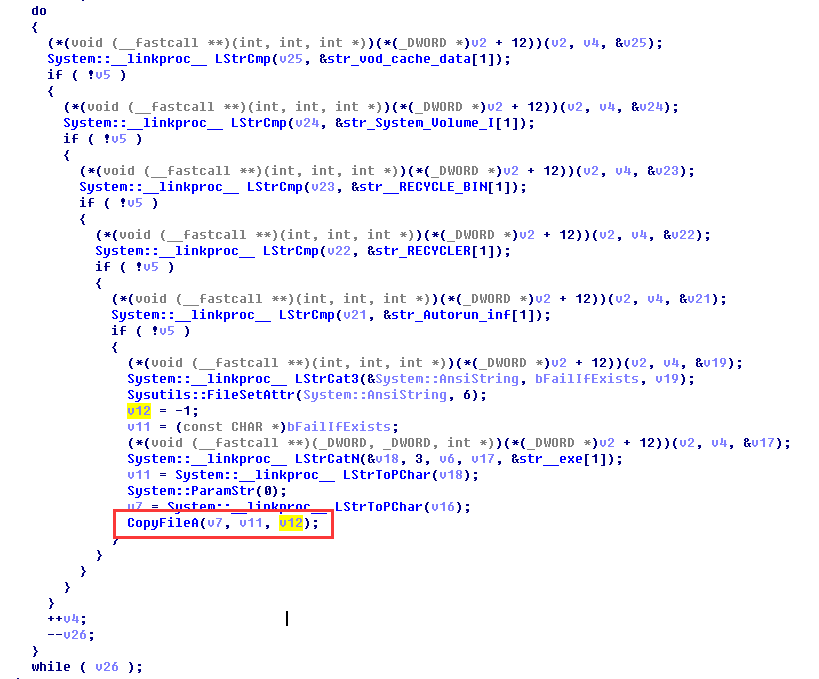
The first response process is to traverse the files in the directory, then find the invalid files and copy the virus.
2.Response_TForm1_Timer2Timer
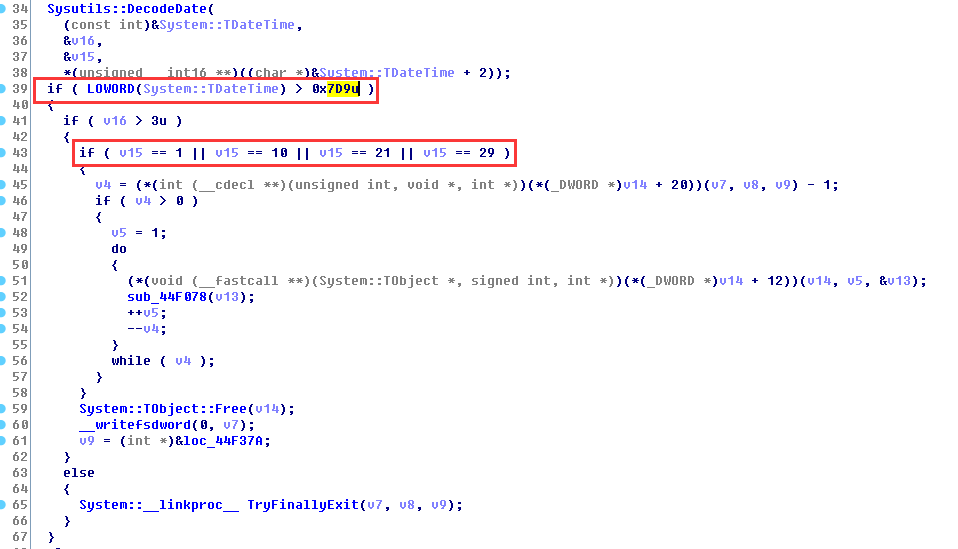
v15 is the day of the obtained system time. If the system time is greater than 2009 and the date is 1, 10, 21, or 29, the infection event will be triggered.
3.Response_TForm1_Timer3Timer
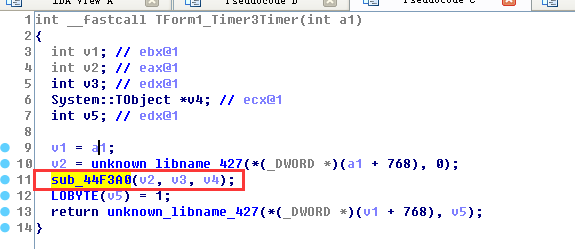
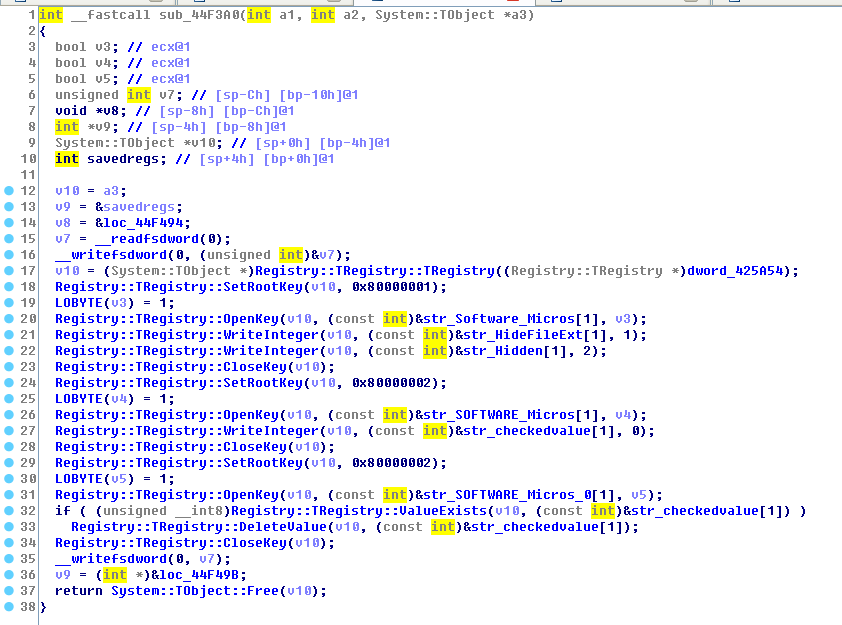
Enter the function sub_44F3A0 (v2, v3, v4) to analyze the function function
As shown in the figure below, you can see that its main function is to modify the registry
4.Response_TForm1_Timer3Timer
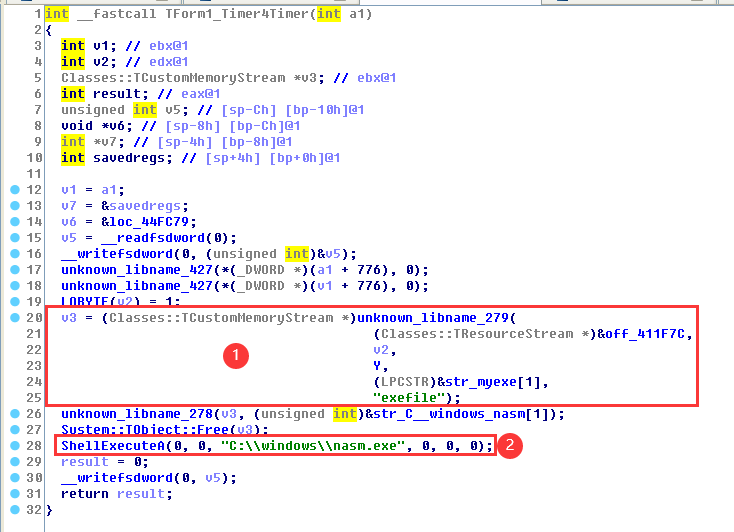
As shown below, in step 1, find the exefile file in the memory and free it, and then call the nasm.exe program through ShellExecuteA.
4. Antivirus process
First delete the generated corresponding file.
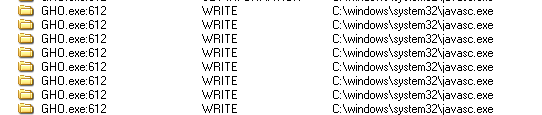

Here GHO generates javasc and avb. All need to be deleted. Since the program hides some files, we need to modify the registry values first.
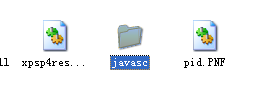
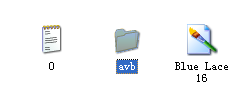
Delete the autostart hijacking registry key.

RunOnce will run every time it is started, so it can be self-started.

Delete this registry key.
Antivirus completed.